
Download LiveTV Toolbar – free TV streaming, internet channels, browser tool
Overview
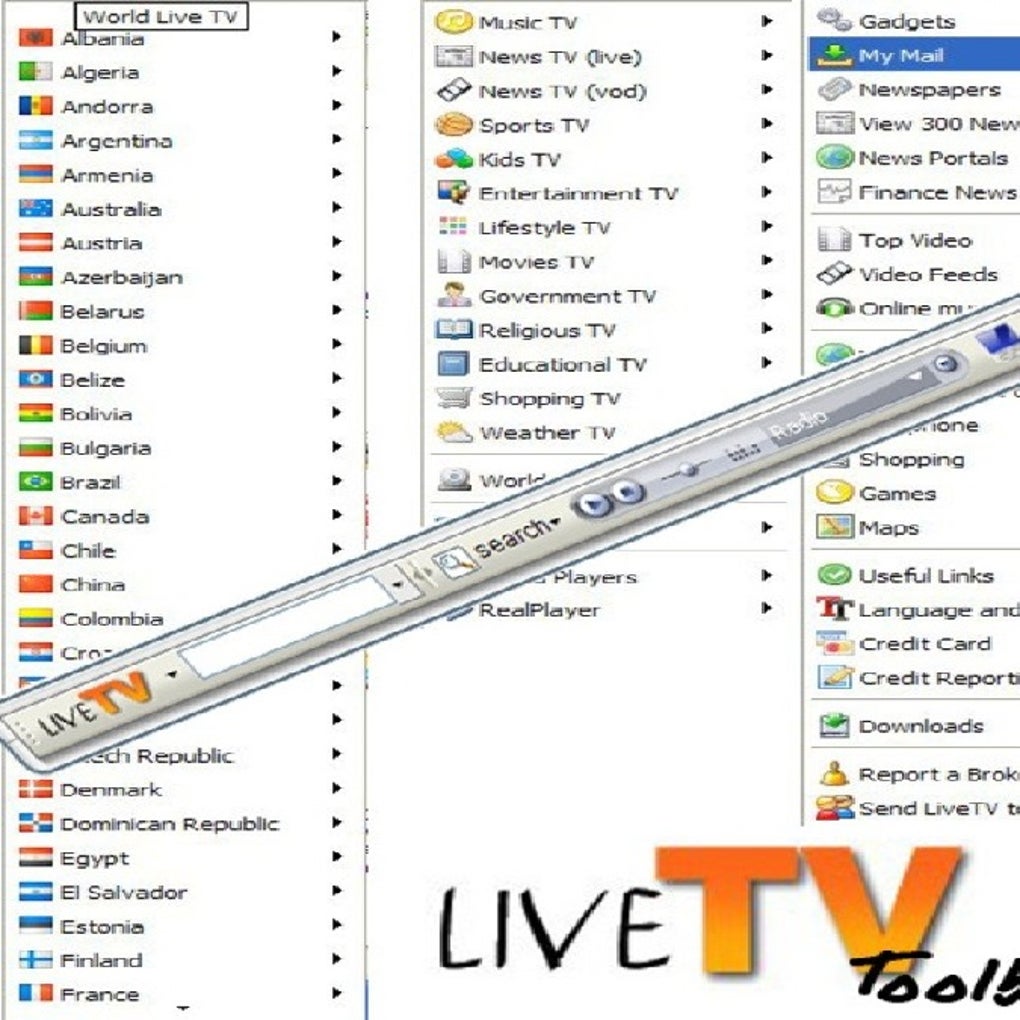
LiveTV Toolbar is a browser‑based entertainment hub that promises instant access to more than 1,750 internet television channels and 1,500 radio stations from around the globe. Designed for users who crave a one‑click solution to watch news, sports, movies, and niche programming without juggling multiple websites, the toolbar integrates directly into the browser interface. Once installed, a compact panel appears beside your address bar, offering a searchable directory of live streams, a “Favorites” shortcut for quick revisits, and a “Popular Channels” carousel that highlights trending content across continents. Beyond media playback, LiveTV Toolbar bundles practical utilities such as a multilingual dictionary, anti‑pop‑up blocker, real‑time weather widget, email notification center, and an online antivirus scanner. The developer assures that the tool is free from spyware, adware, or hidden fees, positioning it as a safe addition to everyday browsing. Whether you’re a globe‑trotting expat seeking home‑country news, a student looking for educational broadcasts, or simply someone who enjoys discovering new music and TV shows, LiveTV Toolbar aims to streamline the search for quality streams while keeping your browser tidy and secure. The following sections dive deeper into its core features, installation steps, system compatibility, and real‑world pros and cons, helping you decide if this toolbar is worth the download.
Key Features
- Access to over 1,750 live TV channels from more than 30 countries.
- Library of 1,500 radio stations covering music, talk, and news formats.
- Favorites manager – bookmark your go‑to channels with a single click.
- Popular Channels carousel that updates daily based on viewership trends.
- Integrated multilingual dictionary for quick translation of foreign language content.
- Built‑in anti‑pop‑up blocker that reduces intrusive ads while streaming.
- Live weather widget displaying current conditions for any selected city.
- Email notification system that alerts you to new channel additions or breaking news.
- Online antivirus scanner that checks streamed URLs for potential threats.
- Lightweight design – the toolbar adds less than 5 MB of memory overhead.
- Automatic updates ensure you always have the latest channel lineup and security patches.
Why These Features Matter
The sheer volume of channels eliminates the need to search multiple streaming sites, saving time and bandwidth. The Favorites manager is especially useful for users who have a regular lineup of news or sports channels; one click returns them to their preferred streams. The anti‑pop‑up blocker and online antivirus work together to create a safer viewing environment, addressing common concerns about malicious ads on free streaming platforms. Meanwhile, the dictionary and weather widget add everyday utility, turning the toolbar into a mini‑portal for both entertainment and practical information. By bundling these tools into a single, free download, LiveTV Toolbar offers a value proposition that rivals many paid streaming aggregators.
Installation & Usage Instructions
Getting LiveTV Toolbar up and running is straightforward. Begin by visiting the official download page and clicking the “Download for Windows” (or “Download for Mac”) button. The installer file is a compact .exe or .dmg package, typically under 5 MB, which means the download completes quickly even on slower connections. Once the file is saved, double‑click to launch the installer. Follow the on‑screen prompts: accept the end‑user license agreement, choose a destination folder (the default location works for most users), and click “Install.” A progress bar shows the installation status, and the process usually finishes within a minute.
After installation, the toolbar automatically appears next to your browser’s address bar. The first time you open it, a brief onboarding wizard walks you through key settings: selecting a default language, enabling or disabling the anti‑pop‑up feature, and choosing whether you want email notifications. You can also import existing bookmarks to populate the Favorites list instantly. To start watching, click the “Channels” tab, use the search bar to type a channel name or country, and press Enter. The selected stream opens in a lightweight overlay player that supports full‑screen mode, volume control, and subtitle toggling where available. The radio section works similarly—simply choose “Radio,” browse the genre list, and click to listen.
Maintenance is simple: the toolbar checks for updates every 24 hours and prompts you to install them with a single click. If you ever need to remove the toolbar, navigate to your system’s “Programs & Features” (Windows) or “Applications” folder (Mac) and uninstall “LiveTV Toolbar” like any other software. All user data, such as favorite channels, is stored locally and removed automatically during uninstallation, ensuring no residual files linger on your device.
Compatibility, Pros & Cons
Supported Operating Systems
LiveTV Toolbar is built for the most common desktop environments. Officially, it supports:
- Windows 10, Windows 11, and Windows 8.1 (both 32‑bit and 64‑bit builds).
- macOS Catalina (10.15) and newer, including macOS Ventura.
The toolbar works with major browsers such as Google Chrome, Mozilla Firefox, Microsoft Edge, and Safari. Mobile platforms (Android, iOS) are not currently supported, but the developer has hinted at a future mobile app that will extend the same channel library to smartphones and tablets.
Pros
- Vast selection of live TV and radio channels without subscription fees.
- Integrated utilities (dictionary, weather, antivirus) add real value.
- Lightweight footprint – minimal impact on system performance.
- Regular automatic updates keep the channel list fresh and secure.
- Simple, intuitive UI that blends seamlessly with the browser.
Cons
- No native mobile version yet; desktop‑only experience.
- Occasional buffering on low‑bandwidth connections, typical of free streams.
- Channel quality varies widely because sources are third‑party streams.
- Limited customization of the overlay player (e.g., no custom skins).
- Some regional channels may be geo‑blocked, requiring VPN for access.
Frequently Asked Questions
Is LiveTV Toolbar really free, or are there hidden charges?
LiveTV Toolbar is completely free to download and use. There are no subscription fees, and the developer does not charge for premium features. All updates and utilities are provided at no cost.
Can I use the toolbar on multiple browsers at the same time?
Yes. The installer creates a browser extension that works with Chrome, Firefox, Edge, and Safari. You can enable the toolbar on any of these browsers simultaneously, though each instance will share the same favorites list stored locally.
How does the built‑in antivirus scanner work?
When you click a channel, the toolbar sends the streaming URL to an online scanning service that checks for known malware or phishing threats. The result is displayed instantly, and unsafe links are blocked automatically.
Will the toolbar affect my browser’s speed?
The toolbar is designed to be lightweight, using less than 5 MB of RAM. In most cases, users notice no slowdown. However, streaming high‑definition channels can consume bandwidth, which may impact overall browsing speed on slower connections.
Is my personal data safe when I use LiveTV Toolbar?
The developer states that the toolbar does not collect personal data beyond optional email notifications. All settings are stored locally, and no spyware or adware components are bundled with the installer.
Conclusion & Call to Action
LiveTV Toolbar delivers a compelling mix of free streaming content and practical browser utilities, all wrapped in a clean, low‑impact interface. Its extensive channel library, combined with features like an anti‑pop‑up blocker and online antivirus, makes it a valuable addition for anyone who spends a lot of time online looking for entertainment or information. While the lack of a mobile app and occasional buffering are minor drawbacks, the overall experience is solid enough to recommend a download. If you’re ready to explore global TV channels, tune into your favorite radio stations, and enjoy handy tools without paying a dime, click the button below to get LiveTV Toolbar today.







